
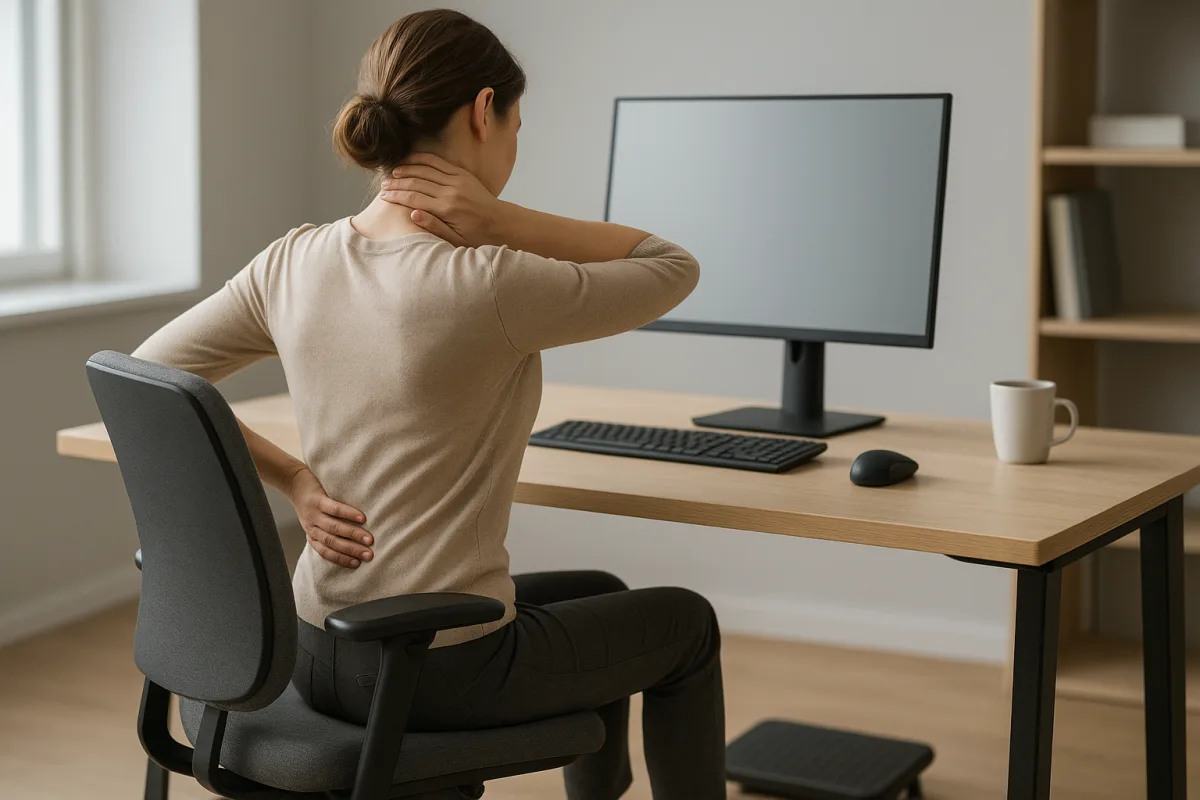
Why do desk-related back and neck pain develop?
Desk-related back pain and neck pain often do not stem from a single cause, but from repeated strain spread throughout the day. When working at a computer, the head moving forward, the shoulders lifting, the lower back losing support and sitting still for long periods can all create pressure on muscles, joints and nerve tissues. Seating setup can reduce that load, but it is important not to forget that the main factor is often how long you remain in the same position.
The spine is made up of more than bones; in the neck and lower back, the vertebrae, the discs between them, the surrounding connective tissues, and the back and abdominal muscles all work together. When balance is disrupted, some muscle groups stay overly tense while others become less active. This can lead to stiffness, a feeling of tightness, pain spreading to the back of the head or shoulders, and fatigue around the lower back.
Why does strain build up in the body?
During static sitting, muscles do not fully rest; on the contrary, they work continuously at a low level to keep the body in that position. A posture that does not change for a long time can increase tension in the muscles and reduce the joints' natural range of motion. In particular, when the neck moves forward, the weight of the head places more load on the shoulder girdle; if lower-back support is insufficient, the spine's natural curve can also be disturbed more easily.
The wrist, elbow and shoulder line are also part of this chain. Reaching for the keyboard and mouse, keeping the shoulder constantly forward, or letting the wrist hang in the air can create tension that extends not only into the arm but up to the base of the neck. For this reason, ergonomics addresses not just one area but the entire work chain together.
What does seating setup change?
Screen height and neck alignment
From an ergonomic perspective, the position of the screen determines the angle at which the neck stays throughout the day. If the screen is too low, a person may unconsciously extend the chin forward; if it is too high, the neck may be forced backward. The general goal is to create a setup where the head can stay balanced over the torso and the neck does not need to bend unnecessarily while looking at the screen.
This mismatch is more common among people who work on laptops for long periods, because the screen and keyboard are built as one piece, so improving one may worsen the other. In that case, solutions such as an external keyboard, a suitable stand or a screen riser can ease strain on the neck. The important thing is not to search for one “perfect angle,” but to keep the neck in a neutral, comfortable line.
The relationship between chair, desk and foot support
When people talk about sitting posture, the point most often overlooked is how the feet are placed on the floor. When the feet hang freely, pressure under the thighs can increase, hip balance can be disturbed and the person may begin to slide forward in the chair. Keeping the feet firmly on the floor or on a suitable footrest helps the pelvis stay more stable and supports the lower back.
If the chair height and desk level are not aligned, a person may either raise the shoulders or work with the wrists compressed. Sitting with the hips close to the back of the chair, the back supported and the lower-back curve not completely flattened usually provides a more comfortable working base. Very soft seating surfaces may feel comfortable for a short time, but they can make it harder for the body to stay supported over longer periods.
Why do keyboard, mouse and arm angle matter?
A workspace where the elbows do not drift too far from the body, the shoulders do not lift up and the wrists are not excessively bent helps reduce upper-body strain. If the keyboard is too far away, the person reaches forward with the shoulders; if the mouse is too far to the side, the muscles around the shoulder blade can remain under constant tension. Having the forearm supported on the desk is a practical step that reduces neck and shoulder strain for many people.
It is also important to place frequently used items so they do not require constant reaching. Turning the torso to the side each time for the phone, notebook or water glass may seem like a small detail, but it can add to the load that accumulates by the end of the day. Ergonomic organization often starts not with expensive equipment, but with simplifying access.
Why is movement more important than a perfect posture?
The most common mistake is thinking there is a single “perfect posture.” The human body is designed to move; even a well-adjusted desk setup can become uncomfortable if you stay still for too long. The right approach is to build a comfortable sitting position and change it regularly during the day.
Switching between sitting, standing and short walks can help prevent load from building up in one area. In other words, a good chair helps, but it is not a complete solution on its own. For neck and lower-back health, the most protective habit for many people is to change position frequently and stand up briefly, even without interrupting work.
Simple habits that can be spread throughout the day
Easy adjustments to apply
- Make phone calls while standing whenever possible.
- Between long messages, relax the shoulders and gently bring the head back to a neutral line.
- Keep water, notes and frequently used tools within easy reach.
- Instead of staying locked into one sitting style, change positions from time to time.
- Create short walking opportunities between meetings or reading tasks.
The aim of these steps is not to make pain disappear completely, but to reduce the build-up of strain. Because needs can differ from person to person, the most comfortable setup should be adjusted according to how the body feels at the end of the day. If pain increases, the desk and chair settings may need to be reviewed again.
When should you see a doctor?
Pain linked to desk work often has a mechanical pattern, meaning it tends to worsen or improve depending on posture and load. However, if the complaints are accompanied by numbness, tingling, loss of dexterity in the hand or arm, weakness in the leg, dropping objects, imbalance or a different type of pain that becomes more noticeable at night, medical evaluation is important. Persistent pain, pain that clearly affects daily life or pain that is getting worse are also reasons to seek care.
During an examination, posture, joint movement, muscle strength, sensory status and signs of nerve tension may be assessed. If the doctor deems it necessary, imaging or other tests may be requested; which investigation is appropriate is decided based on the course of the symptoms and the examination findings together. The goal is to distinguish simple musculoskeletal strain from conditions that require closer evaluation.
Common misconceptions and a more practical approach
What people often get wrong
- “If I sit up straight, the problem will be solved.” Sitting rigidly upright all the time can also be tiring; a relaxed and varying posture is more practical.
- “An expensive chair is enough on its own.” Equipment matters, but if the time spent being still does not change, symptoms may continue.
- “If there is pain, there must be serious damage.” A significant share of desk-related pain is linked to musculoskeletal strain; still, if neurological symptoms are present, evaluation is needed.
- “Only the lower back is affected.” The neck, shoulders, area around the shoulder blades, elbows and wrists are all part of the same work chain.
In the end, seating setup does make a difference; aligning the screen, chair, desk and foot support can reduce unnecessary stress on the neck and lower back. But for desk workers, the main protective habit is not to stay still all day and to give the body room to move. When regular changes in position are combined with basic ergonomic principles, working comfort usually improves noticeably.
"""





Comments (0)
No comments yet. Be the first to comment.
Write a Comment